
A trainer in my pocket for my own P90X videos.
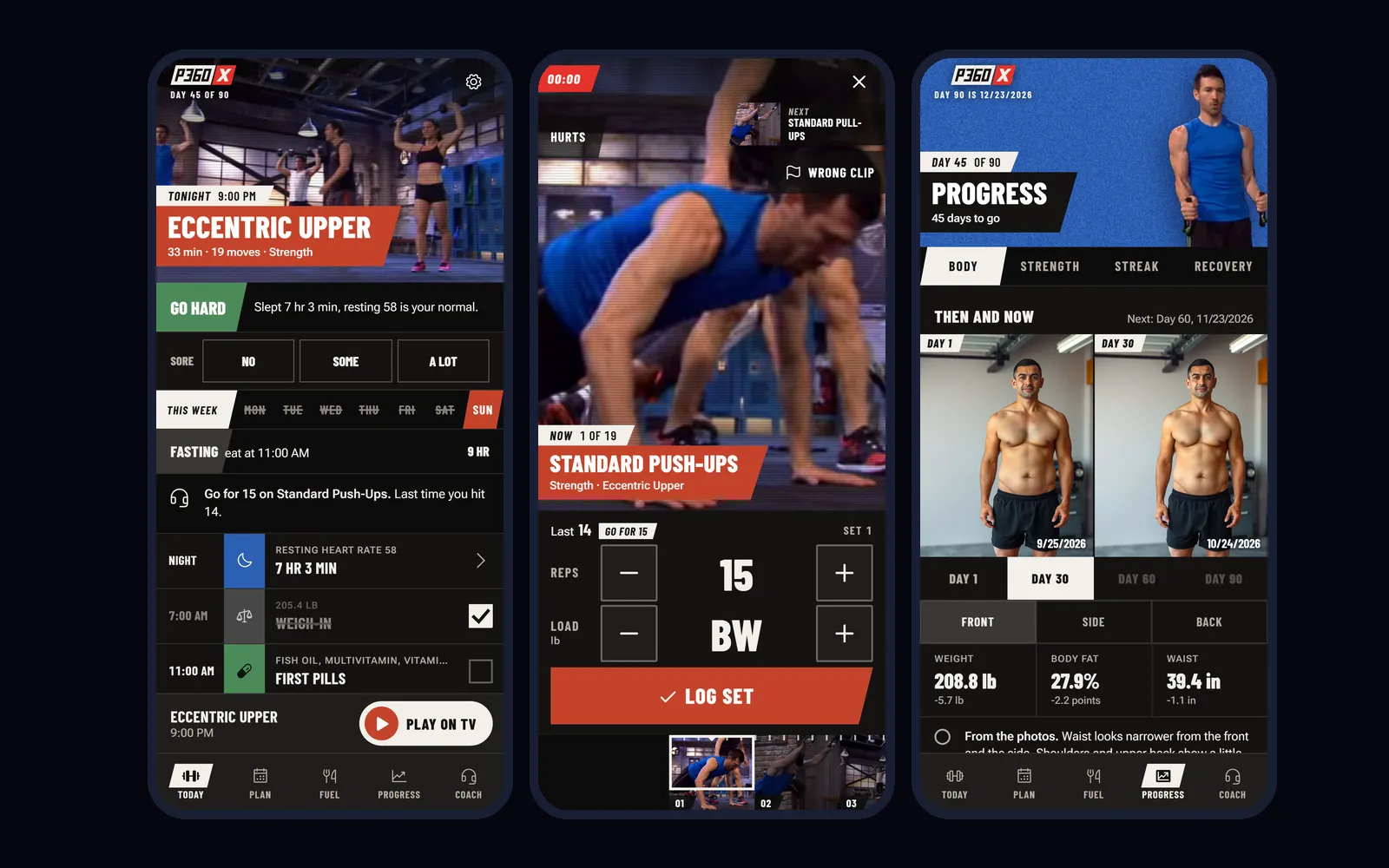
I have owned P90X since the DVDs, then P90X2, P90X3 and P90X+. I keep coming back to them. What I never had was the part a trainer does: knowing what I lifted last week, telling me what to eat today, and noticing when I sleep badly before a hard workout. So I built that for myself. P360X runs on my phone, my watch and my TV, and it is the app I use every day.
Personal fan project. P360X isn't for sale or download, and it isn't affiliated with, endorsed by or sponsored by BODi (The Beachbody Company) or Tony Horton. P90X, P90X2, P90X3 and P90X+ are trademarks of Beachbody, LLC. The workouts it plays are my own copies of the programs.
What is P360X?
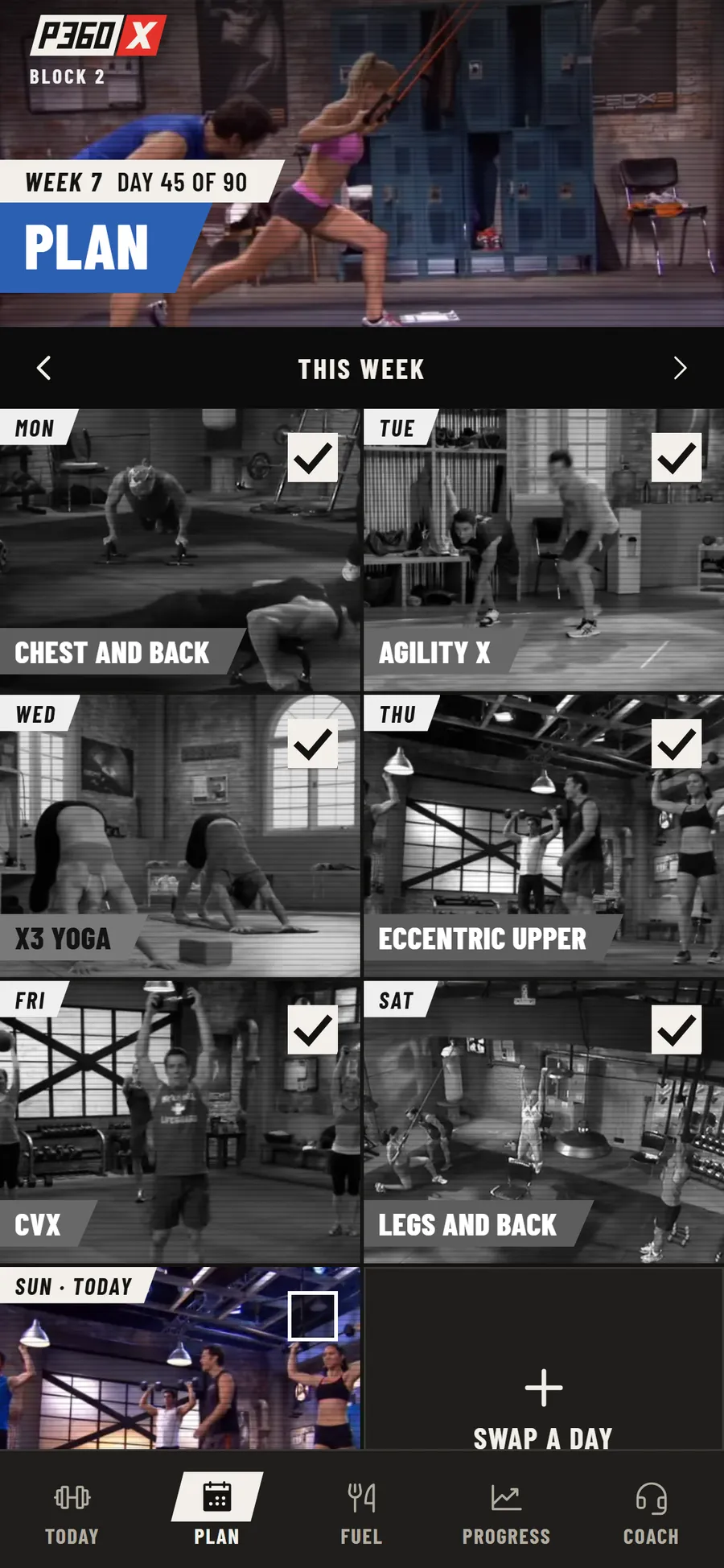
P360X is a coaching layer on top of workout videos I already own. It plans 90 days across the four programs, plays each night's workout on the TV, logs every set with a tap, tracks food, water and supplements, and reads my watch and scale. It has a Coach to talk to, and the Coach can change things. There's an Android app, a Wear OS app for the watch, and the same thing in a browser on a laptop.
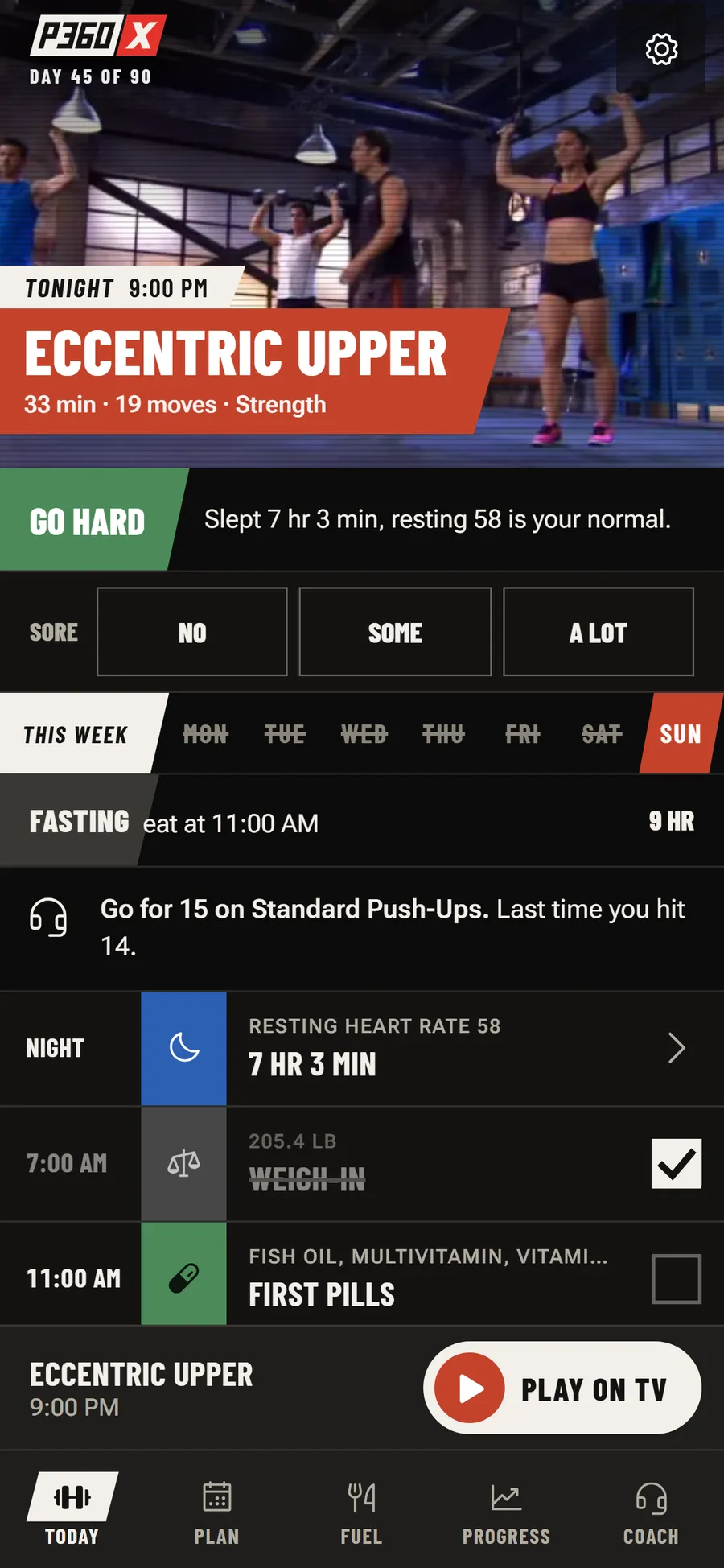
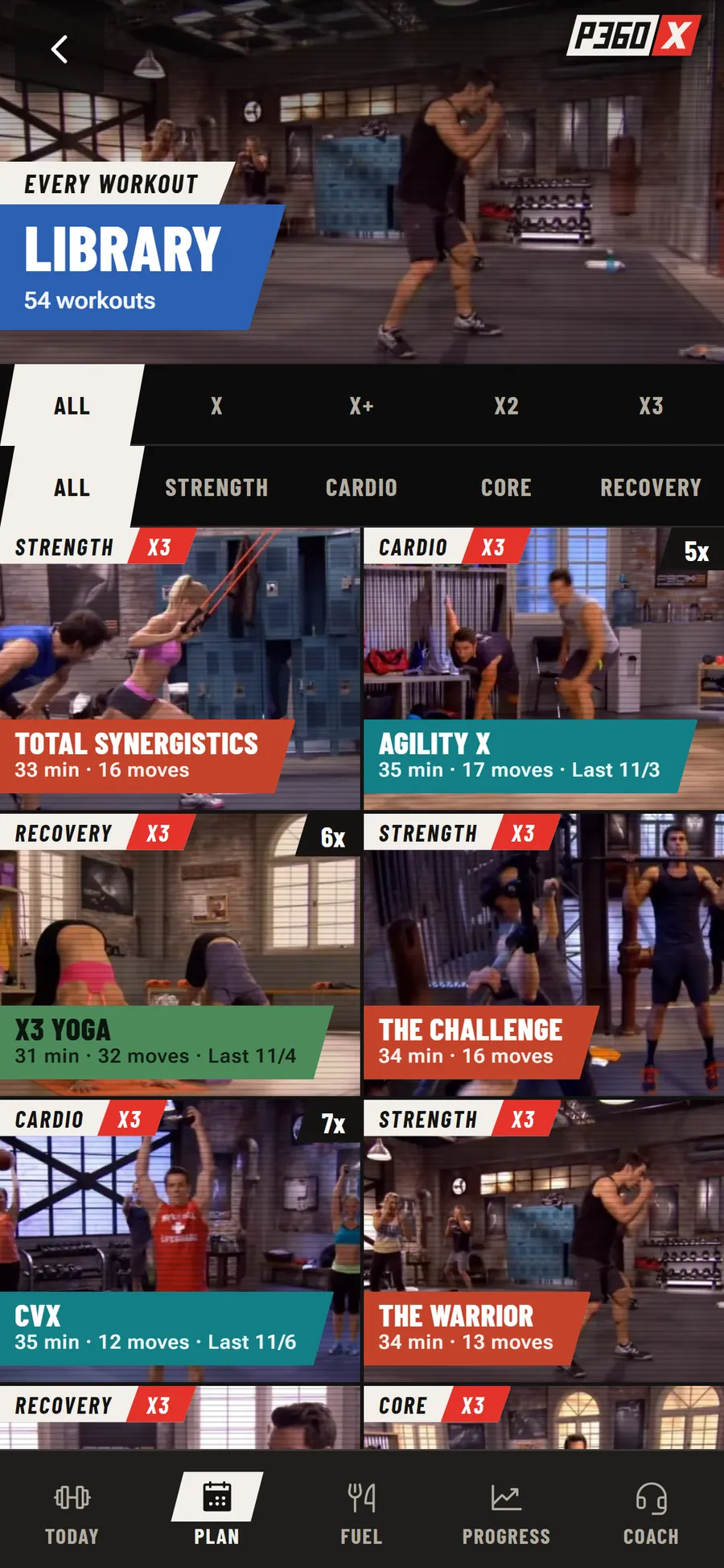
Every screen on this page uses a made-up account: Alex, Day 45 of 90, on a mix of P90X lifting days and P90X3's 30 minute workouts. The weights, meals, sleep, chat and progress photos are all invented. The workout photos and clips are frames from the videos, because that is what the app shows.

How does a workout run with the TV?
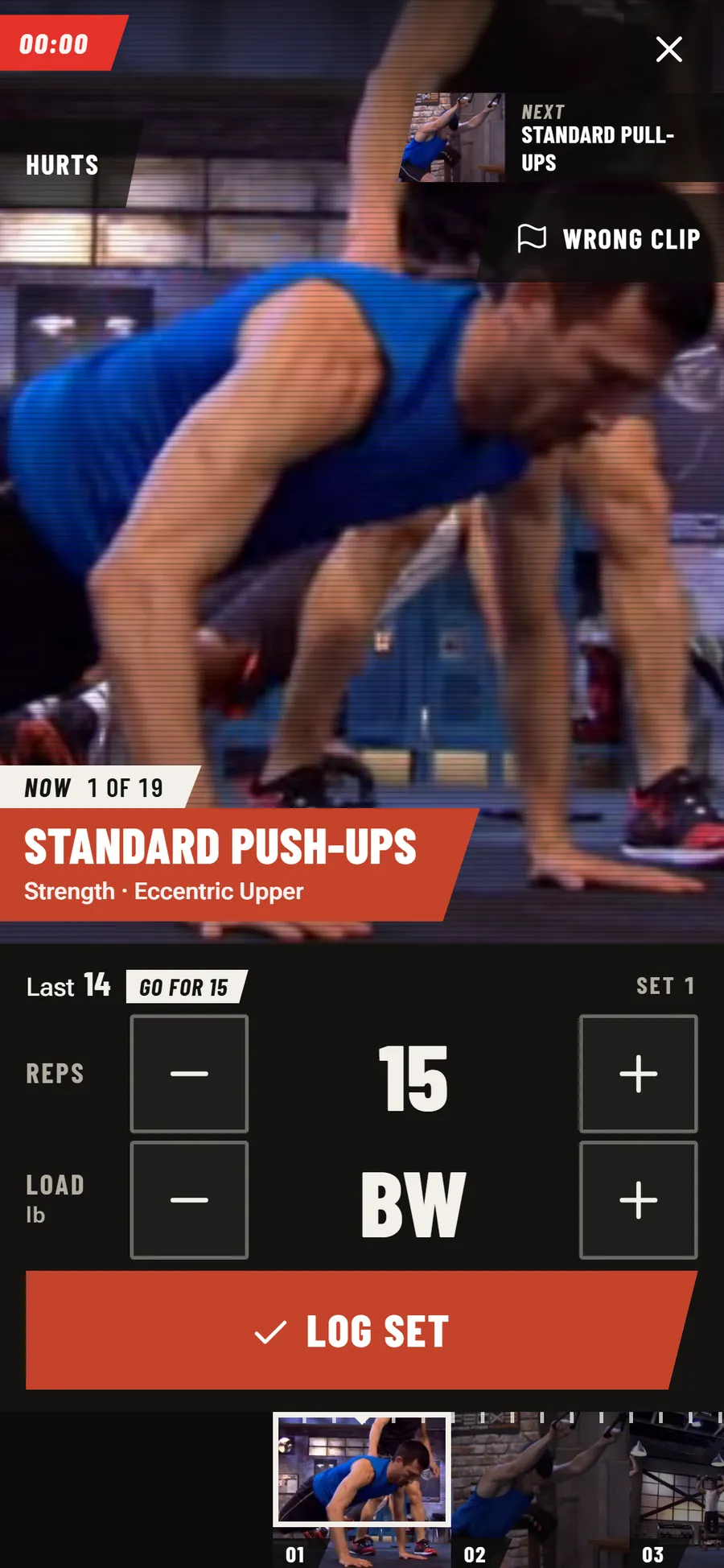
My TV plays the videos from a home media server. Play on TV starts the workout there, and the phone follows the video. I mapped where every move starts in every video, 1,328 moves across 54 workouts, so the phone always knows which move is on screen. It holds through the intro, jumps the video when I skip ahead, and waits if the video moves on before I've logged a set.
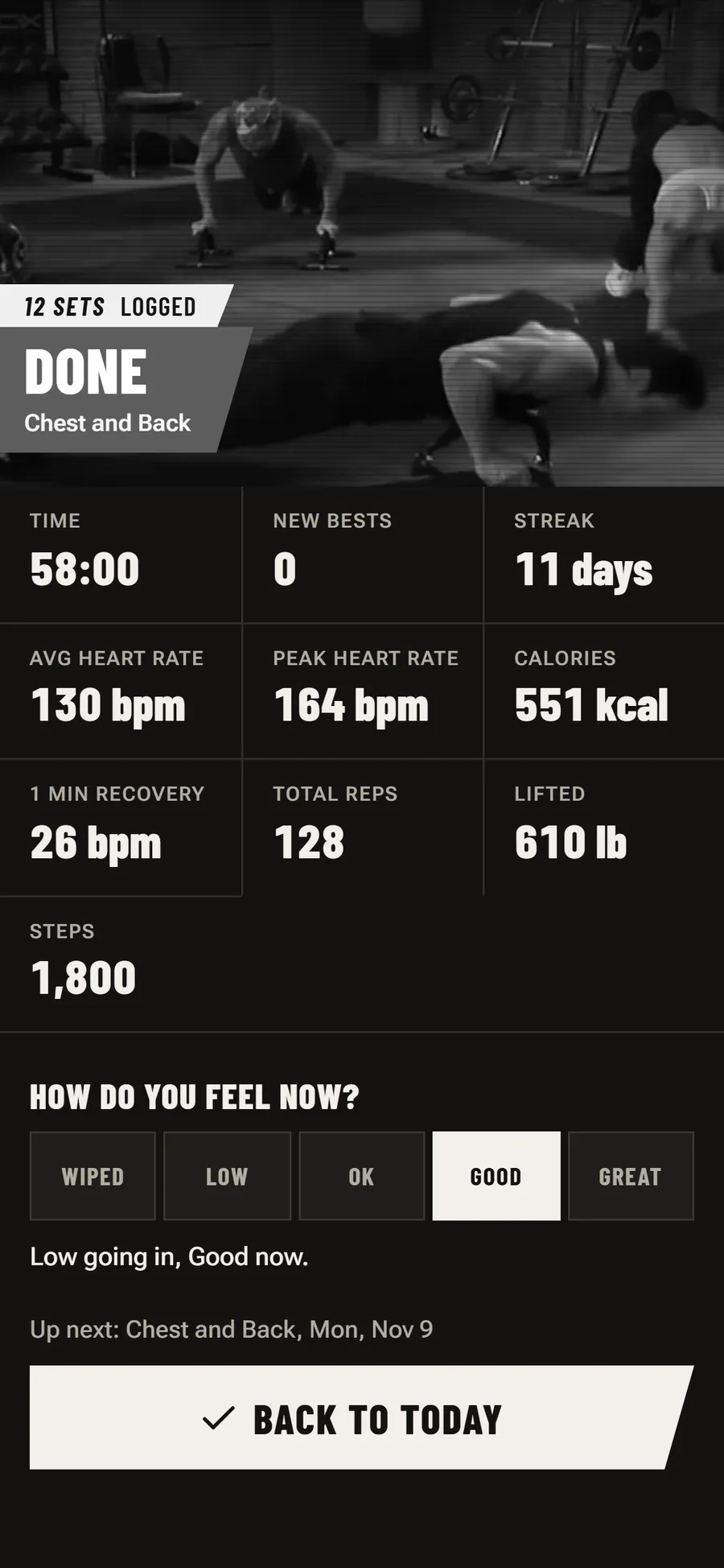
Logging is one tap, because my hands are sweaty and the phone is four feet away. The numbers start at a target worked out from my history: one more rep than last time, or five more pounds once I hit the top of the range. The buttons are 72 pixels tall during a workout. If something hurts, Hurts takes a body part and offers Skip this move, or a stand-in move that doesn't load that joint.

What does the watch do?
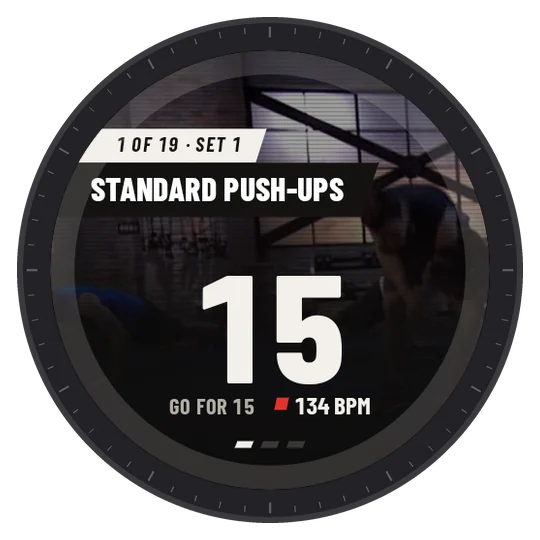
The Wear OS app shows the current move on the wrist with its photo, my number and my heart rate. A tap on the face logs the set, and the watch only says Logged once the phone has it. After a set it buzzes once when my heart rate has come down enough for the next one, measured against my own numbers for that workout rather than a fixed rest timer. The heart rate curve, zones, calories and steps go into the workout's record.
Turning the bezel steps the number, so a set of 14 instead of 15 is two clicks and a tap. Swiping sideways shows Stats (heart rate zone, time, calories, peak) and Finish. Outside a workout the same swipe reaches water and pills: Add 8 oz and Taken write the same rows the phone writes. These screens come from the real watch app running in the Wear OS emulator, fed the same sample data as the phone screens above.



How does Coach change the plan?
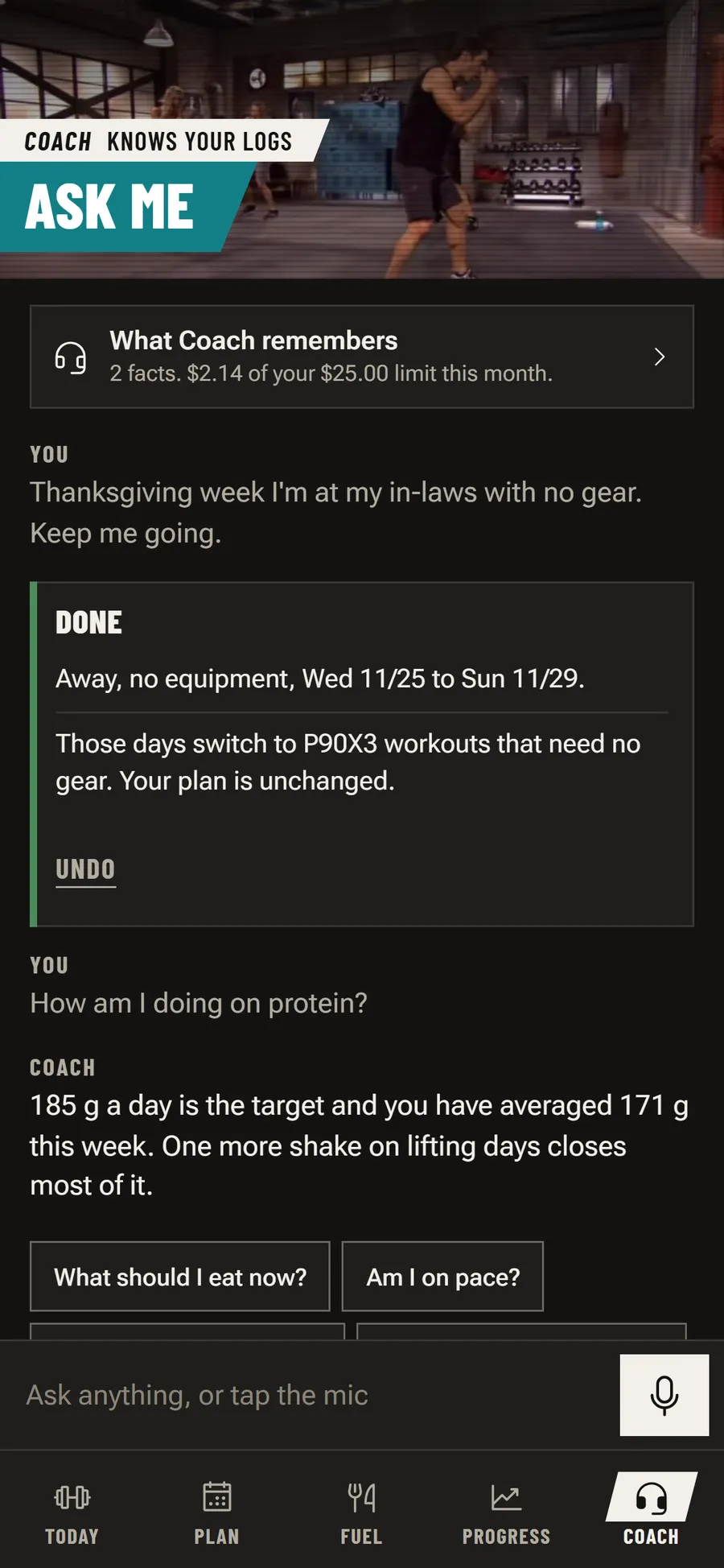
Coach is a chat that can act. If I say Thanksgiving week I'm away with no gear, it switches those days to gear-free workouts from the same program and shows a Done card with exactly what changed and one Undo button. The card's lines are written by the app's code from what was actually saved, not by the model, so it can't claim a change that didn't happen. If a date is unclear, it asks one question and changes nothing.
The 90-day plan itself comes from Claude Opus, built from the programs I pick and my results. Coach, food photos and photo comparisons run on Claude Haiku, and the app stops at a monthly spending limit I set.


How does it handle food?
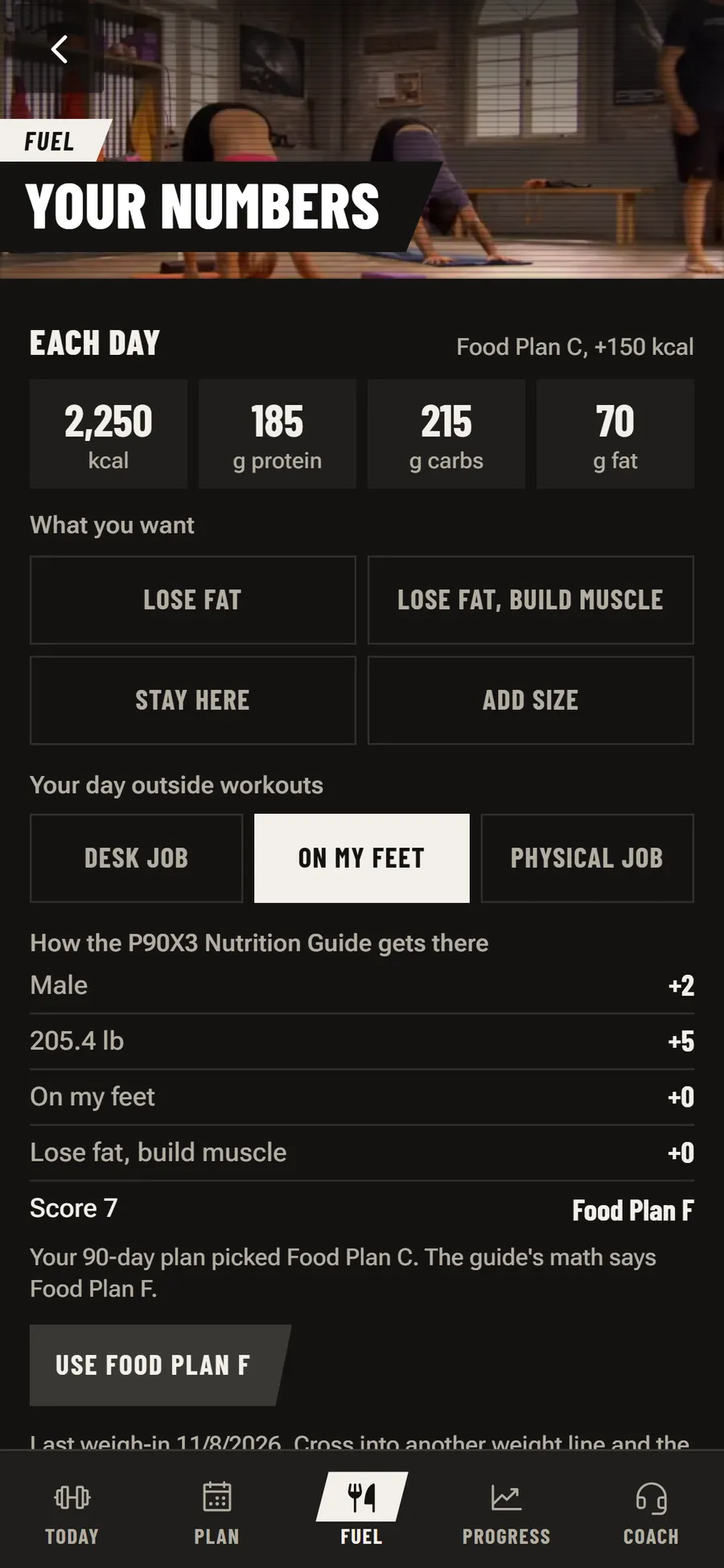
Food comes in four ways: a photo of the plate, a barcode, a photo of a restaurant menu (Coach picks the two or three best options for what is left today), or saying it out loud. Every read opens as numbers I can fix before I save. Targets start from the P90X3 nutrition guide's math. Training days take more of the week's carbs than rest days, and the weekly total stays the same. An eating window bar on Today says whether I can eat right now. It doesn't plan meals. My family eats what it eats, and the app keeps track.
How does it show progress?
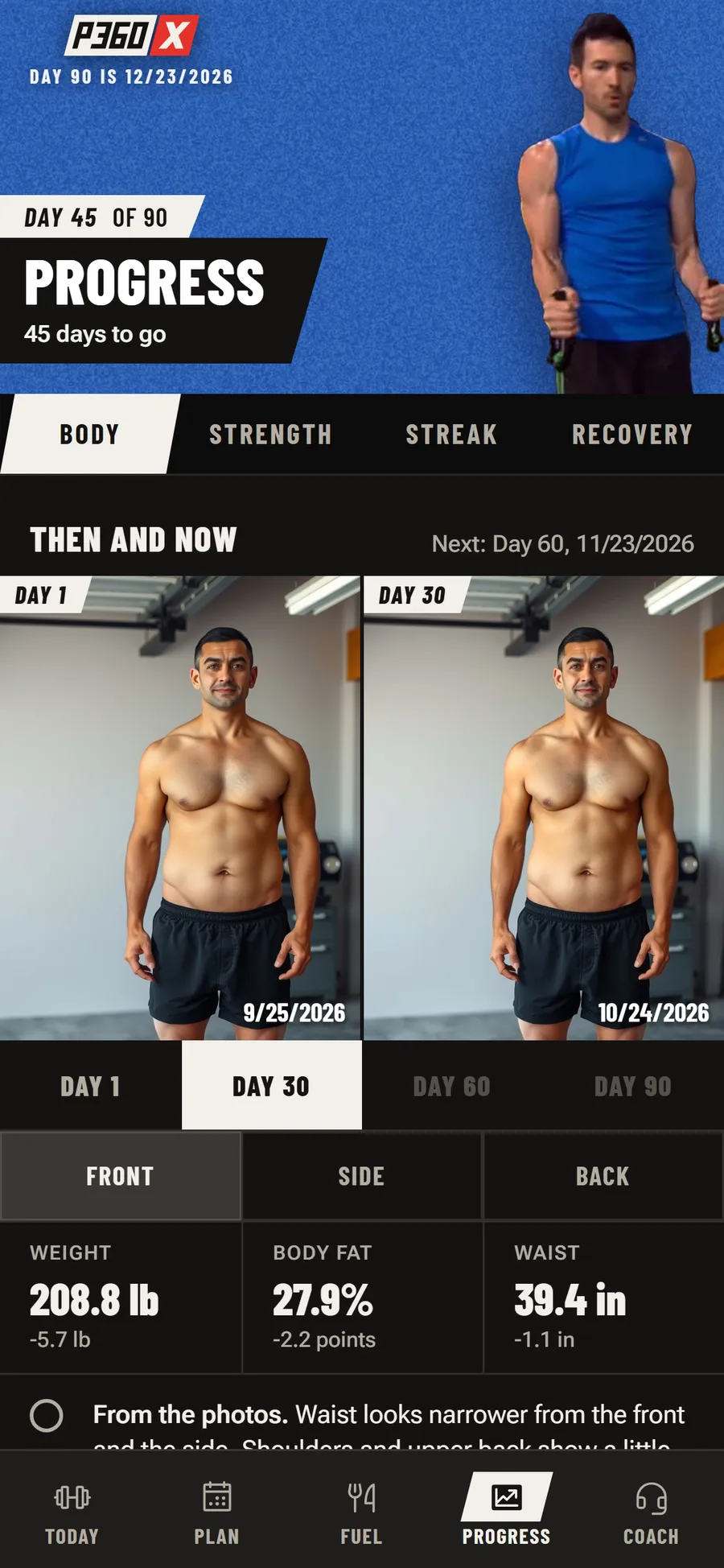
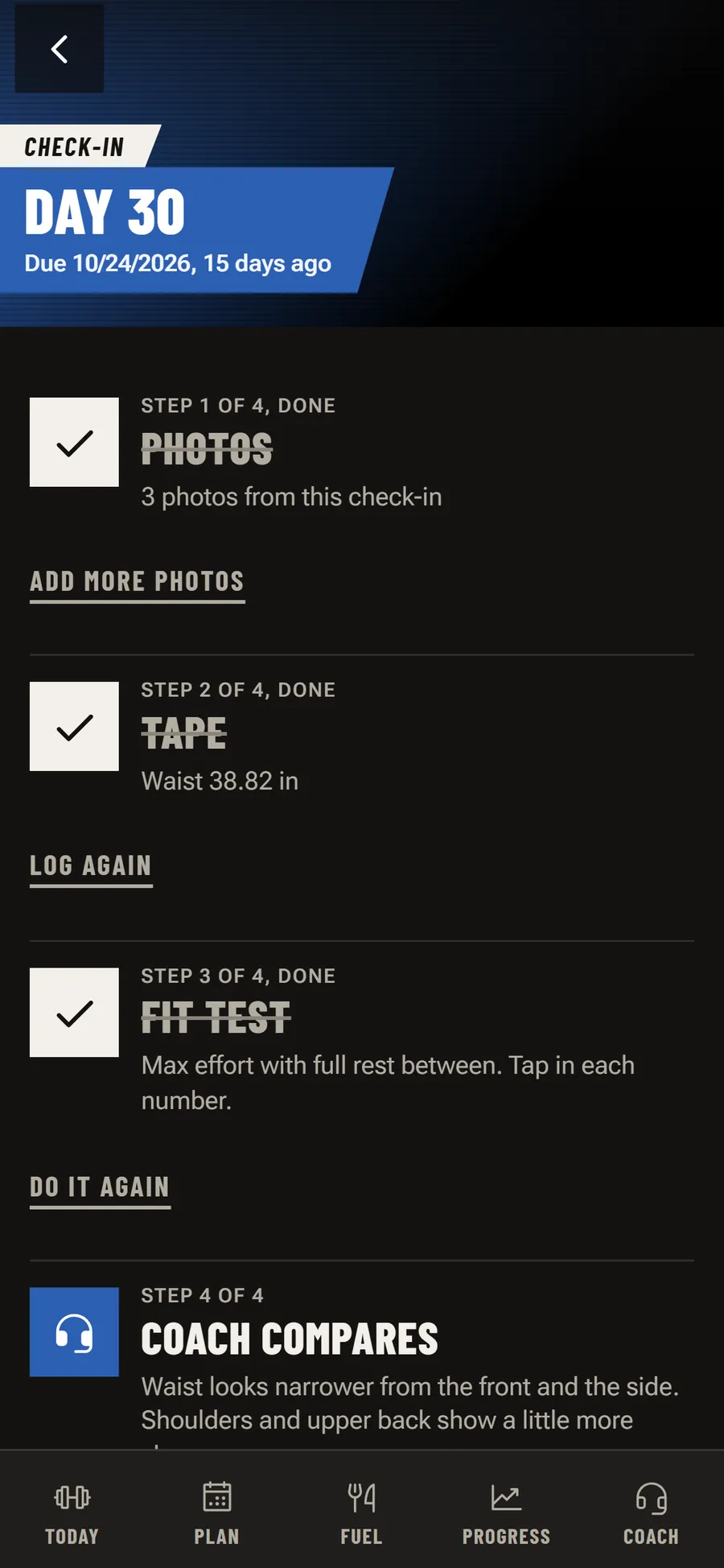
Progress opens on Then and now: Day 1 beside the latest check-in, with weight, body fat and waist under each. The camera lines me up the same way each time. A pose model runs on the phone and calls out Step back or Turn right until I'm in place, then takes the photo, so two photos a month apart actually match. Coach compares them in plain words and says when the light or the pose makes that unreliable.
What works for you lines up sleep, meal times, workout times and results, and only calls something a pattern when it holds up across enough nights. Across 400 runs of pure noise it calls a pattern less than 2% of the time. It never says cause. If I want to test one, it runs a two-week experiment and reports the before and after.


How is it built?
The app is React and TypeScript, built as a web app so the same code runs on the phone, the laptop and inside the Android wrapper. Data lives on the device first, so a workout never waits on a signal, and syncs to Cloudflare (Pages Functions, a D1 database, R2 for media). The Android app is a Capacitor shell with native plugins for reminders, the watch link, speech and the microphone level. The watch app is Kotlin. A nightly job backs every table and photo up to a local drive.
The test suite has 521 tests: unit tests on the plan, food and recovery math, and Playwright runs that drive each screen at phone and desktop sizes. The screenshots on this page came from the same kind of run, against the live app with every write blocked, so the sample account never touched my real data.
What this means for a build of your own
P360X is what I build when nobody is paying for it: a phone, watch and TV app that works with sweaty hands from across a room, an AI that changes data with a real Undo, and numbers that say how sure they are. If you want an AI-powered web app built to that standard, or a desktop app, that's the work we take on.
If you're at BODi and would like to see more, I'd love to talk. Get in touch here.
Where the numbers come from
The counts come from the app's own source as of November 8, 2026. There are 54 workouts and 1,328 moves in its workout data, and 521 tests in its unit and Playwright suites. Every screenshot was taken that day on production with writes blocked and a made-up account injected into the browser. The progress photos are AI-generated stand-ins of a person who doesn't exist, and the Day 30 photos are the Day 1 photos adjusted, so they show the screen and not a result.
Have a program that needs an app?
Phone, watch and TV, with AI that does things you can undo.