~120MB
ClaudeView resident memory
 Concept211
Plenty of desktop software today is a browser in a trench coat: half a gigabyte of memory to show a window that takes five seconds to open. Building something that actually feels native is a different job.
It is why so much desktop software now feels slower than it did a decade ago. Shipping a web app inside a desktop frame is the fastest way to a build.
We start with whether the thing is worth building at all. If we are the wrong shop for it, we would rather say so in week one than in week nine.
One real path all the way through the system. Ugly, but running and instrumented, so the unknowns surface while there is still time to do something about them.
Something real every week. Nothing gets saved up for a reveal at the end, so a change of direction costs a conversation instead of a change order.
Code, deploy steps, and what to do when it breaks at 3am. We stay available for follow-on work, but we do not build in a dependency on us.

Half a gigabyte of memory to show a window that takes five seconds to open.Concept211 · Windows desktop apps
Photo by Nikita Kachanovsky on Unsplash
ClaudeView runs on exactly this stack. The failure modes are ones we have already hit on our own release channel.
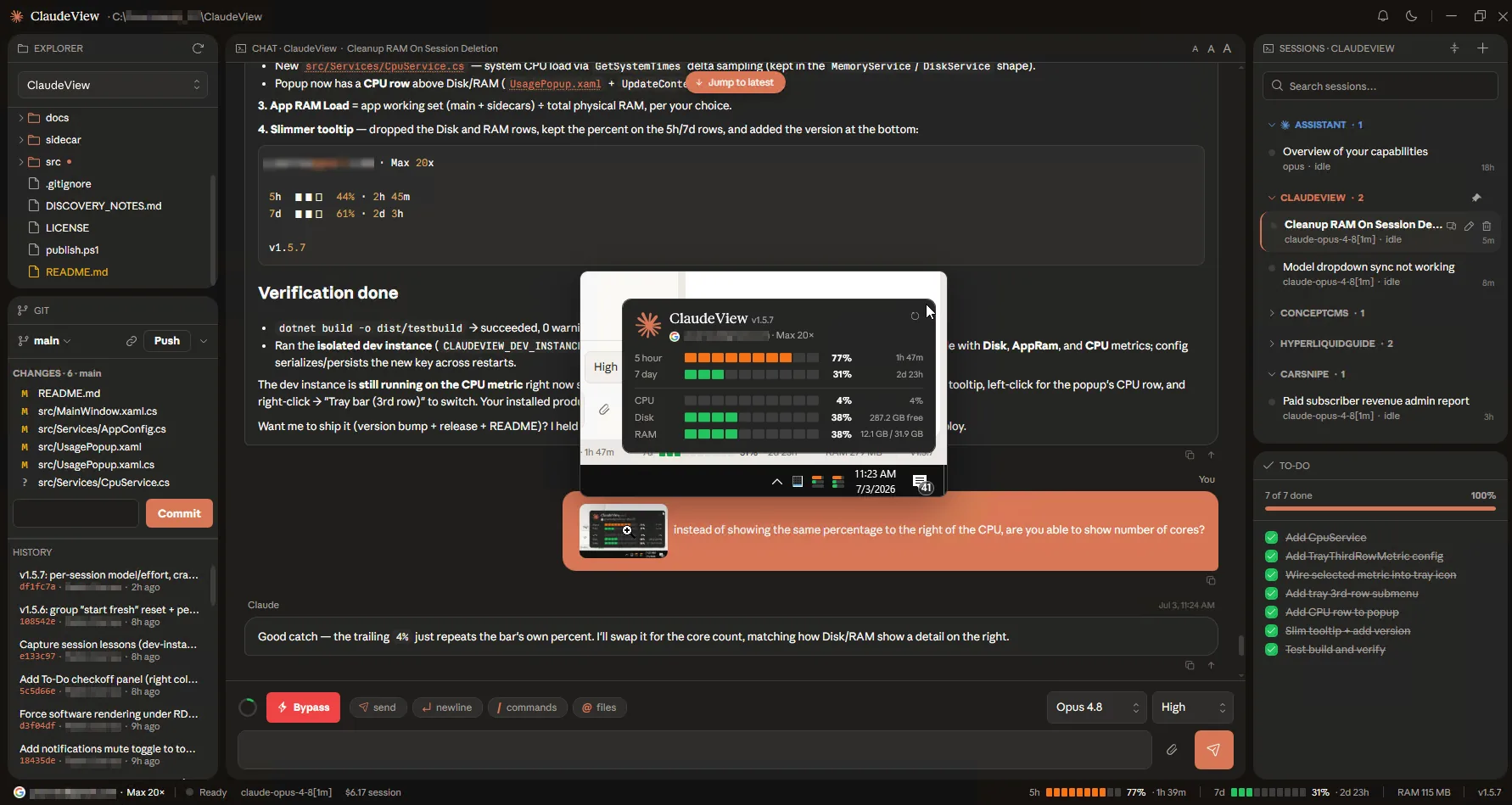
Our own answer to the bloated-desktop problem: one workspace around the Claude Code workflow in roughly 120 MB instead of a full editor, with a signed installer that updates itself. It is the reference build for everything on this page.
The things people ask on the first call, answered before you have to ask them.
Ask us something elseTwo situations come up. You have an aging desktop app that still works but is painful to maintain and looks its age, or you want a new native tool and do not want to ship a heavyweight web wrapper to get it. If instant launch, a small memory footprint, or real OS integration (tray, file associations, shell context menus, background services) matter, native is the answer. If none of them do, we will tell you to build a web app instead.
C# and .NET 8 with WPF for the native interface, and WebView2 where an embedded web surface genuinely earns its place. This is the same stack behind ClaudeView, a native Windows app we shipped on it, so these are patterns we run in production rather than ones we are learning on your project.
A native application with a modern interface, fast cold start, and a small footprint. That includes a proper MSI or MSIX installer, code signing, and self-updating so users are never stranded on an old version. It ships as software you own, with source and runbooks.
Six to fourteen weeks from first scope to handoff, with a working build you can install every week. Modernizing an existing app usually lands at the short end because the domain logic already exists and the job is the shell around it.
Have a Windows app to modernize?
Or a native tool to build without the browser-in-a-window baggage. Either one is the work we take on, and you own the source at handoff.